
The AI Daily Brief — How To Build a Personal Agentic Operating System
Source: How To Build a Personal Agentic Operating System — The AI Daily Brief: Artificial Intelligence News (28:36)
Presenter: Newgard Gaspar (guest); hosted by The AI Daily Brief
Published: 2026-04-25
Status: Source review complete. Practitioner OS model with explicit portability design. Companion to nick-milo-ai-os-planning, simon-scrapes-agentic-os, chase-ai-agentic-os, ibm-agent-os-framework. Cross-source synthesis in ai-os-rework-synthesis.
Screenshots: media.baseworks.com/kb-dev/aidb-agent-os/ — NAS mirror: /volume1/baseworks/media/kb-dev/aidb-agent-os/
Applicability note: The most tool-agnostic practitioner source in the series. Newgard Gaspar’s model is designed to be “platform, model, and harness neutral” — the explicit design goal stated in the opening. The 7-layer stack is the clearest structural framework of the practitioner sources, and the two elements with no equivalent elsewhere: the Verification layer (OS decay prevention) and the Connections layer (explicit read-only-first security guidance). The “brain dump → AI interview → draft” methodology applies across all layers and is immediately actionable. The running example throughout (a “Chief of Staff” agent named Chloe) grounds abstract ideas in a concrete implementation.
The Core Premise: Platform, Model, and Harness Neutral
Section titled “The Core Premise: Platform, Model, and Harness Neutral”
“This is an updated program that is meant to be platform, model, and harness neutral. Whether you’re working with Claude Code or Codex or some other set of tools, Agent OS is about building dynamic and extensible and adaptable agentic systems that you can continue to evolve over time.”
The opening makes the design constraint explicit from the start. Every source in this series discusses portability to some degree — Newgard Gaspar is the only one who names it as the explicit structural goal.
“I’m still not getting optimal results unless I’m being very deliberate about what I’m putting underneath.”
The origin story: months of experimenting across different tools with inconsistent results. The pattern was always the same — the tools converged, but the outputs diverged based on what was underneath. The agent OS is what goes underneath.
What this means architecturally: The content layer (identity files, context files, skills) must be readable by any AI tool cold. The execution layer (hooks, settings, platform-specific config) wraps around the content but never leaks into it. If your identity file references Claude-specific syntax, it fails this test.
The Seven-Layer Stack
Section titled “The Seven-Layer Stack”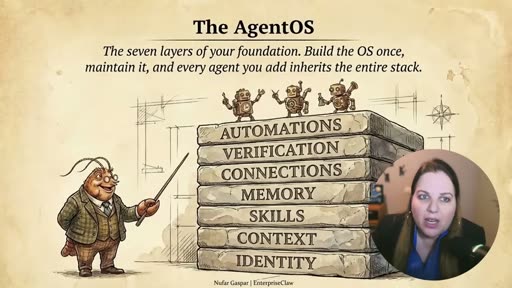
“So, your Agentic Operating System has seven layers and you can see them on screen. And all of your agents will run on top of these layers and each agent is basically inheriting the whole foundation.”
“You build the OS once, you maintain it, and then every agent you add gets better because the foundation is there.”
┌─────────────────────────────────────┐│ AUTOMATIONS │ ← scheduled, unattended execution├─────────────────────────────────────┤│ VERIFICATION │ ← audit, retrospective, decay prevention├─────────────────────────────────────┤│ CONNECTIONS │ ← external systems; read-only first├─────────────────────────────────────┤│ MEMORY │ ← deliberate, structured recall├─────────────────────────────────────┤│ SKILLS │ ← reusable instruction sets├─────────────────────────────────────┤│ CONTEXT │ ← curated, dated situational files├─────────────────────────────────────┤│ IDENTITY │ ← who you are; rules enforced always└─────────────────────────────────────┘ ↑ agents inherit everything above ↑The layers are ordered intentionally: Identity is the foundation — it goes in first and changes least. Automations are the top — they are earned, not assumed. Building bottom-to-top is also the implementation sequence.
Layer 1 — Identity
Section titled “Layer 1 — Identity”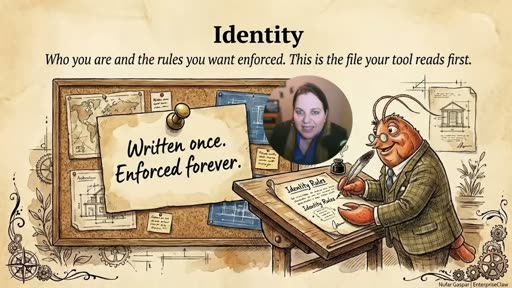
“The first layer will be identity, and that answers one question. Who are you and what rules do you want enforced every single time the agent talks to you?”
“This is the file that your tool reads first. So, it will read it before any question you type and before memory, the first thing.”
Identity is the zero-layer: everything else runs on top of it. Different tools name it differently:
| Tool | Identity file name |
|---|---|
| Open Claw | soul |
| Cursor | agents.md |
| Claude Code | CLAUDE.md |
| GitHub Copilot | copilot-instructions.md |
“Different names, but the same idea. A text file that tells the tool who is it working for.”
“If you’ve never proactively written this file, your agent starts from zero or what it was able to collect randomly along the way. And if you don’t have a high-intention, regularly updated, just sufficient amount of information in the identity file, you’re missing a huge opportunity.”
What goes in identity: communication style, pet peeves, non-negotiables. For a chief of staff agent: “never let me walk into a meeting without a pre-read”, “always tell me who else I owe to reply to”, “flag when I’m over-committing for the next week.”
The building methodology (applies to every layer):
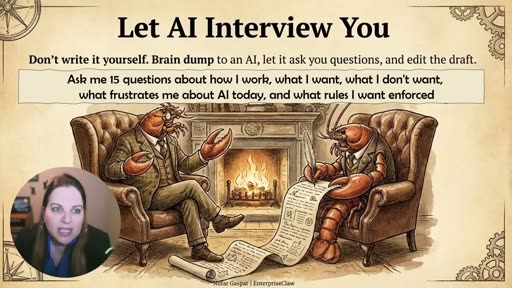
“I encourage you to brain dump to an AI, and let the AI interview you. Open any AI tool, and ideally one that already has sufficient memory of you from ongoing work with you, and say: ‘I’m building my AI identity file. Please ask me 15 questions about how I work, what I want, what I don’t want, what frustrates me about AI today, and what rules I want enforced.’ You answer, and ideally out loud because it’s much easier to speak to an AI tool, and then the AI will draft, you will edit, and you will shift a first version that let’s say is about 70% right.”
“You brain dump, you let the AI interview you, you draft, you shift a minimal viable version of this file, and then you improve.”
This methodology is the same for every layer: start with a 70% version, use it for a week, patch the gaps. No layer requires a perfect first draft.
Layer 2 — Context
Section titled “Layer 2 — Context”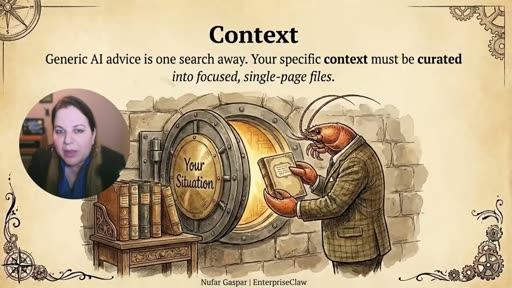
“The context is what you know. And what you know is the single biggest predictor of whether AI gives you the generic output or something genuinely useful for your actual situation.”
“A generic AI advice is just like one Google search away, and what you cannot get from the public internet is your situation, your road map, your org chart, your customer segments, your priorities, and so on. And unlike other layers, this is not something that will be solved by better models. Your specific context will always be yours, and no model improvements will ever know what you’re shipping next quarter, or who your key stakeholders are, unless you tell it.”
Context files are not the prompt. They are the library the agent reaches for when a task needs them.
The anti-pattern:
“If you’re trying to context engineer in one session, you will produce a 40-page document, and you never update that. That’s not context, it’s just a quick-to-be-stale novel.”
What actually works:
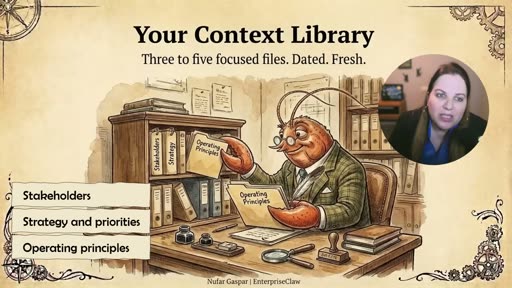
“Three to five focused files, each on a single page. Each covers one thing, whether it’s my team, my product, my customers, my quarter, my stakeholders, and so on. Make it dated and fresh, and update when things change.”
Context curation as practice:
“Context curation is not a project that has a beginning or an end. It’s a practice. And every time you catch yourself re-explaining something about your situation to AI, that thing should have been in a context file. Write it down and add it to the library, and then you move on.”
Example context library (chief of staff):
stakeholders.md— who reports to you, who you report to, key cross-functional partners, what each one cares aboutstrategy-priorities.md— what you’re trying to achieve this year, what the organization is focused onoperating-principles.md— how decisions get made, what you push back on, what you escalate
Layer 3 — Skills
Section titled “Layer 3 — Skills”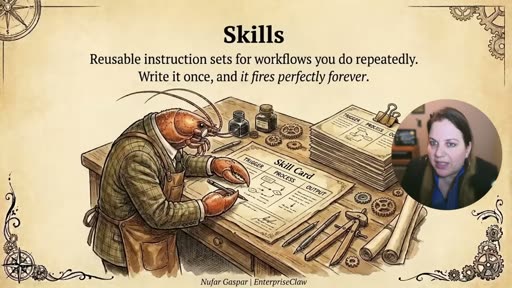
“Identity is who you are, context is what you know, and skills is how you work. And a skill is a reusable instruction set for the AI or workflow that you do repeatedly. It can be the weekly status updates or the meeting prep, stakeholder emails and so on. I believe that every knowledge worker easily has 20 or 30 of these patterns.”
The skill structure:
“Each one can be written as: when I say [some kind of a trigger], do [some kind of a process] using the following sources and produce output in this format.”
Every skill has three parts: TRIGGER (what initiates it) → PROCESS (what the agent does, including which context files to reach for) → OUTPUT (format, length, destination).
Why skills matter:
“Without a skill, you’re basically re-explaining the format every time. You paste the same sources every time. You complain that AI writes in a weird voice and you never bother to teach it your voice. A skill fixes that, and if you write it once well, it fires forever.”
MVP first:
“I want to encourage an MVP skill, not a perfect skill to begin with. The first version is always not perfect and kind of wrong, but you use it for a week and then you notice when it’s off and what it needs to improve. You patch it, and then a few weeks in, that skill is working properly.”
Maps to: Simon Scrapes’ TRIGGER/PROCESS/OUTPUT structure (named identically), Nick Milo’s markdown skills in AIOS/Skills/, Chase’s domain-branch skill organization.
Layer 4 — Memory
Section titled “Layer 4 — Memory”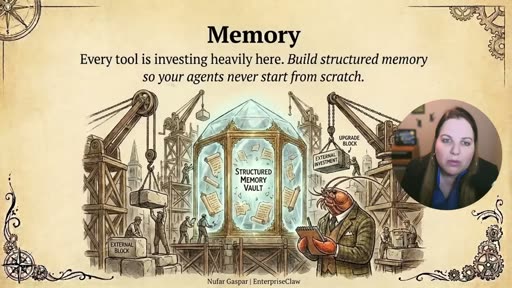
Memory is the layer that makes every other layer stick across sessions. Without it, identity and context are re-read every session but nothing accumulates.
“Claude Code recently added auto memory, and Cursor has project-level memory, and things are changing on a daily basis in the memory front.”
The landscape is moving fast — no single implementation recommendation holds. The guidance is behavioral rather than tool-specific:
Understand your tool’s memory first:
“You can ask it directly: ‘Explain how your memory system works. What do you remember between sessions? What do you forget?’ You need to know what you’re working with before you can improve it.”
Deliberate memory over passive accumulation:
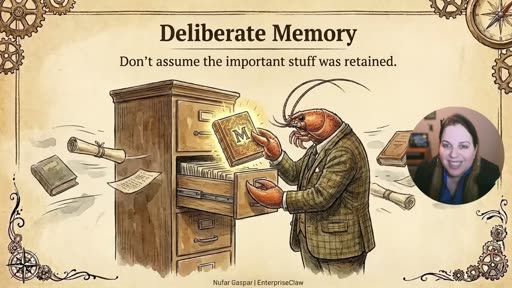
“What I want you to be is deliberate about what gets remembered. Your agent does remember things on its own, but it doesn’t always pick up the right things. A major decision, a change in priorities, or the end of a very long session might not be picked up properly how you would expect. So you should deliberately get the agent to remember that.”
“Memory is what makes every other layer stick across sessions.”
What deliberate memory looks like in practice:
- Running session log — a skill that captures major decisions and priority changes before ending a long session
- Structured memory files — a curated set of ongoing-state files the agent updates at natural breakpoints (e.g., after a project milestone)
- Dedicated memory MCP servers — for those investing further
For a chief of staff: beyond general memory, create dedicated memory for decision logs, commitment tracking, and ongoing stakeholder relationship notes.
Layer 5 — Connections
Section titled “Layer 5 — Connections”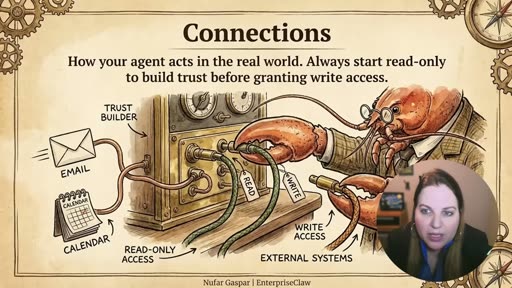
Connections are how agents interact with external systems: calendar, email, Slack, databases, external APIs.
The read-only-first rule:
“I want to encourage you to start as much as possible with read-only access. Before you let your agents write back into systems, let the agents only read your calendar or only read your inbox, not let them send emails and add calendar events and so on. Write access should be added after you watch the agent behave for a few weeks and you’ll have enough trust.”
“The reason why I’m saying that is that the risk scales with the capability. So, the more your agents can do in real systems, the more you need to think about permissions and security.”
The risk is real:
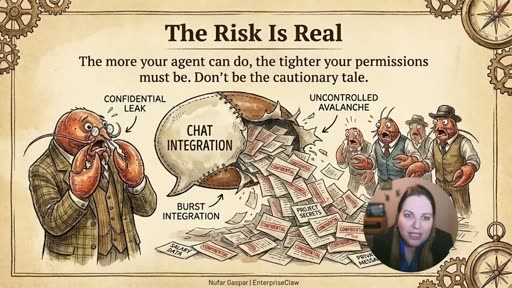
“We’re already seeing incidents on a daily basis. You can imagine an agent that has access to your company Slack and a very loose set of permissions. Someone on your team starts chatting with it and now the agent is happily sharing your private notes, your opinions about colleagues, your draft feedback. It’s not a hypothetical risk.”
The rule of least privilege:
“Use the least privileged connections. Talk to your IT team if you’re connecting any work systems and don’t be the one creating the cautionary tales for others in your company.”
Technical options: MCPs (open standard, broad tool support), CLI tools (give the agent more judgment on how to interact), direct API or scripting.
Minimum viable connections for a chief of staff: read access to calendar and inbox. Good upgrade: read/write on personal task list. Advanced: draft posts to Slack or DMs to yourself for approval before sending.
Layer 6 — Verification
Section titled “Layer 6 — Verification”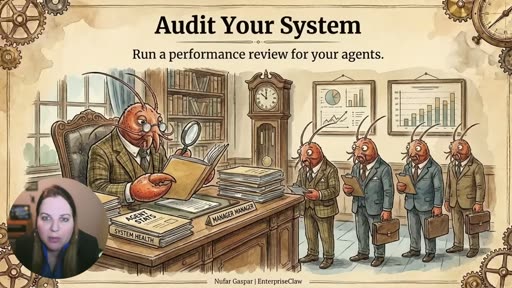
The Verification layer is the only one explicitly about OS longevity. Without it, the system degrades.
“The worst thing that happens with your agent OS isn’t that it fails, it’s that it works confidently and wrongly, and you ship it.”
Verification operates at two levels:
Per-output checks: three to five specific checks on each task output before you act on it. Gets faster with practice. In week one it may feel slow; in week four it takes under a minute.
Periodic system audits:
“Periodically, I want you to do a retrospective with your agents. Audit the system and figure out which parts are under-serving you. Maybe there are skills that are never being called, or maybe there are context files that become stale. Maybe some agents need updated instructions.”
“Similarly to how you would re-evaluate your employees or your company periodically, you will do that also with your agentic systems.”
The decay argument:
“Without it, your OS has a shelf life of maybe 8 weeks before everything goes stale.”
“And with it, your OS compounds even further and forever.”
The audit can be done indirectly (auditing each agent built on the OS) or directly (asking the tool which context files aren’t being read, which skills aren’t being called). Most tools can surface this on request.
Maps to: no equivalent in Nick Milo, Simon Scrapes, or Chase AI. All three assume the operator maintains the system intuitively. Newgard Gaspar is the only source to frame OS maintenance as a structured, periodic practice with a decay timeline.
Layer 7 — Automations
Section titled “Layer 7 — Automations”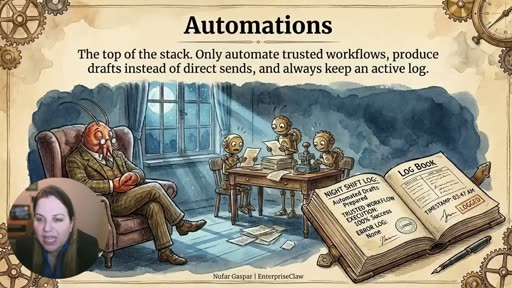
Automations are the top of the stack — the layer for things agents do when you’re not watching. A daily morning summary, a monitoring task that pings Slack, background research on standing questions.
“This is the layer that creates a lot of risk if you’re not careful. Because an agent that is running at 3 a.m. with a wrong answer can do damage before you wake up.”
Three rules:
-
“Only automate workflows you have run manually enough times and trust.”
-
“Start with automations that produce drafts for you to review, not outputs that go directly to other people.”
-
“Always add logs. You need to know what ran and what it did as it was running.”
Automations are explicitly described as earned, not assumed: they sit at the top of the stack because they require the bottom five layers to be working well first. An automation running on a weak identity, stale context, and untested skills compounds the problems at each layer.
The Compounding Return
Section titled “The Compounding Return”“Once you build your OS, agents become cheap. Because your first agent is hard as you’re building the Agent OS and the agent itself probably at the same time. Your chief of staff maybe took you a weekend, but the second agent that is built on top of this system — maybe it’s a research agent or a board prep agent — that takes you an afternoon because it inherits everything that is relevant, and it already knows you and it knows your context, it knows your voice, and you’re only adding a job description and a few specific skills.”
“And from here on, after your third, your fifth, and so on, they are each becoming faster and faster.”
“This is the compounding return and why I’m so bullish on the Agentic Operating System. It matters more than the agents or the tools themselves.”
Nufar’s Agent System — The Full Implementation
Section titled “Nufar’s Agent System — The Full Implementation”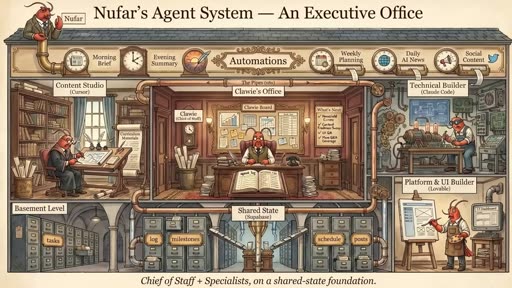
“This is my system. I mentioned Chloe, my chief of staff. She was one of the first that I built. After that, I also built specialist agents for content, for technical building, for platform work, and so on. They all share state to a central hub. They all share the same Agentic Operating System, and my chief of staff sees the specialist agents.”
The full system has four specialist agents, each using a different tool, all running on the same shared OS foundation:
| Agent | Tool | Role |
|---|---|---|
| Chloe’s Office | Open Claw | Chief of Staff — orchestrates the others |
| Content Studio | Cursor | Content production |
| Technical Builder | Claude Code | Code and technical tasks |
| Platform & UI Builder | Lovable | Front-end / UI work |
All four share state via a “Shared State (Basement)” hub. Automations run across the top: Morning Brief, Evening Summary, Weekly Planning, Daily AI News, Social Content.
The key architectural point: the OS travels with you, not with any specific tool. Chloe can be moved from Open Claw to Claude Code. Content Studio can move from Cursor to another tool. The shared OS layer — identity, context, skills, memory, connections, verification — persists across all of them.
The OS Travels With You
Section titled “The OS Travels With You”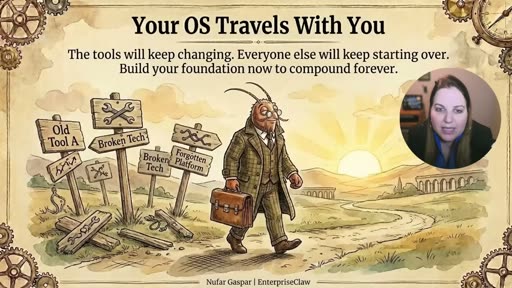
“Your OS travels with you. And every tool swap, and every new agent, and every new capability that drops next month, it all lands on the same foundation. The people who build that foundation now will basically have it compound from here on after, and everyone else will keep starting over with new tools.”
This is the closing argument and the reason the portability design constraint matters. Tool churn is not going away. Model upgrades are not going away. An agent OS built into a specific platform becomes a liability — you rebuild every time the landscape shifts. An agent OS built as platform-neutral content compounds with every new tool that arrives.
Mapping Newgard Gaspar to the Cross-Source Matrix
Section titled “Mapping Newgard Gaspar to the Cross-Source Matrix”| Dimension | Newgard Gaspar |
|---|---|
| Identity (“who am I”) | Layer 1: tool-agnostic identity file. Same idea as SOUL.md (Simon), me.md (Milo), but explicitly named across multiple tools (Open Claw: soul; Cursor: agents.md; Claude Code: CLAUDE.md). “Written once. Enforced forever.” |
| Navigation / context map | Layer 2: Context Library — 3-5 focused single-page files. Closest to Simon’s brand_context/ but framed as situational documents (stakeholders, priorities, operating principles) rather than brand voice. Vault-map.md maps here. |
| Skill design | Layer 3: TRIGGER → PROCESS → OUTPUT. Same structure as Simon Scrapes explicitly. “If you write it once well, it fires forever.” MVP first, patch over time. |
| Memory / session recall | Layer 4: Deliberate memory over passive accumulation. Understand your tool’s memory limitations first. Create structured memory files; don’t assume auto-memory picks up the right things. |
| Portability across tools | Explicitly the primary design constraint. The OS is tool-agnostic content; each tool has a thin entry-point file that reads the shared content. Most portable of all five sources. |
| Obsidian integration | Not addressed. Generic folder system assumed. No Obsidian-specific features referenced. |
| Multi-operator / team | Not the primary frame — this is a personal OS. Enterprise Claw handles organizational rollout. For Baseworks: the two-operator case falls between personal and enterprise. |
| Scheduled / autonomous | Layer 7 (Automations) is explicit: draft-first, manual-first, always-logged. Matches Chase’s caution about local vs. remote execution. |
| Implementation complexity | Low to start — identity file first, then context, then skills. Bottom-to-top sequencing. Same “start minimal” philosophy as Milo. |
| Verification / maintenance | Layer 6: explicit OS audit discipline. Decay rate without it: ~8 weeks to stale. Unique to this source — no equivalent in Milo, Simon Scrapes, or Chase. |
| Security / permissions | Layer 5 (Connections): explicit read-only-first rule. Least privilege. Only source to explicitly frame connections security as a layer of the OS design. |
What Newgard Gaspar Adds That No Other Source Provides
Section titled “What Newgard Gaspar Adds That No Other Source Provides”1. The Verification layer — OS decay prevention
Every other source assumes the operator maintains the system intuitively. Newgard Gaspar names the failure mode explicitly (8 weeks to stale), prescribes the fix (periodic audit retrospective), and frames it as a structured practice rather than optional maintenance.
2. The Connections layer — read-only-first security model
No other practitioner source has an explicit security model for external system connections. The read-only-first rule is the clearest, most actionable guideline in the series on this topic.
3. The AI Interview methodology
The “brain dump → AI interview → draft → ship 70% → patch” workflow is a repeatable process that applies to every layer. No other source provides a methodology for actually building each layer’s content — they describe what the layers should contain, not how to produce the content.
4. The explicit decay timeline
“Without the audit discipline, your OS has a shelf life of maybe 8 weeks.” A specific number that makes the maintenance requirement concrete rather than abstract.
Applicability to Baseworks
Section titled “Applicability to Baseworks”Directly applicable — portability as a design test:
The “platform, model, and harness neutral” framing is the clearest test for any content file Baseworks creates. If a new me-patrick.md references CLAUDE.md-specific syntax, it fails the test. The content of identity, context, and skill files should be readable by any AI tool cold.
Directly applicable — the Verification layer:
The 8-week decay timeline is real. The Baseworks vault already shows this pattern: skills written six months ago reference outdated voice guide versions or inbox protocols that have changed. A periodic OS audit (quarterly at minimum) should be a scheduled practice, not an emergency response.
Directly applicable — context curation as practice:
The “every time you re-explain something to AI, that thing should be in a context file” heuristic is immediately actionable. It requires no new infrastructure — just a habit of identifying those moments and adding the missing file.
Directly applicable — the Connections security model:
Any integration that gives Claude Code write access to external systems (email, calendar, practice.baseworks.com, WP-CLI to live sites) should follow the read-only-first rule. The current pattern of checking in with Patrick before any write action is the human equivalent of this principle — it should be made explicit in the OS design, not left as an implicit norm.
Partially applicable — AI interview methodology:
The brain dump → AI interview → draft process works well for building the first version of me-patrick.md and me-asia.md. Patrick should be the one doing the brain dump for his own identity file; Asia for hers.
Not applicable — multi-agent enterprise context:
Nufar’s four-specialist-agent system (Chloe + Content Studio + Technical Builder + Platform & UI Builder) is aspirational for Baseworks. The infrastructure exists (VPS, Claude Code, skills) but the operator bandwidth for managing four parallel agent contexts doesn’t currently exist. The single Chief of Staff model (one well-configured agent with deep context) is the right starting point.
Related
Section titled “Related”- AI OS Rework — Synthesis
- Nick Milo AI OS — companion source
- Simon Scrapes Agentic OS — companion source
- Chase AI Agentic OS — companion source
- IBM Technology — Agent OS Framework — foundational vocabulary
- Plans Index
- Source video: https://www.youtube.com/watch?v=ntvkDnk_5jA